
Definition
The Image Widgets allows to configure the display/edit of Image attribute.
|
Image Edit |
Image Display |
|---|---|
|
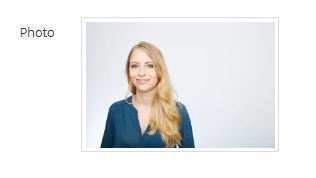
|
Configuration
Properties
|
Properties name |
Type |
Mandatory |
Description |
Values (default value in bold) |
Image |
Image Edit |
Image Display |
|---|---|---|---|---|---|---|---|
|
width |
|
NO |
Defines the width of the image (in millimieter). |
50mm |
|
|
|
|
height |
|
NO |
Defines the height of the image (in pixel). |
10px |
|
|
|
|
src |
|
NO |
Defines the source (url) of the image. |
- |
|
|
|
|
shape |
|
NO |
Defines the shape of the image. |
ROUNDED, CIRCLE, THUMBNAIL |
|
|
|
|
resizeQuality |
|
NO |
Defines the quality of the resized image. |
Between 0 and 1.0 |
|
|
|
|
maxWidth |
|
NO |
Defines the maximum width of the image (in millimeter). |
500mm |
|
|
|
|
maxHeight |
|
NO |
Defines the maximum height of the image (in pixel). |
150px |
|
|
|
|
maxFileSizeKb |
|
NO |
Defines the maximum size (in KB) of the imported image. |
5000 |
|
|
|
|
fileType |
|
NO |
Defines the list image formats. If the user update an unauthorized file, he will be warned by a pop-up. |
*, PNG, JPEG... If value = *, all formats will be accepted. |
|
|
|
|
alt |
|
NO |
Defines atext to be displayed when the image is unavailable. |
- |
|
|
|
|
alignment |
|
NO |
Defines the alignment of the image. |
LEFT, CENTER, RIGHT |
|
|
|
|
acceptedFileTypes |
- |
NO |
Allows to list the allowed image formats. |
- |
|
|
|
acceptedFileTypes properties
|
Properties name |
Type |
Mandatory |
Description |
Values (default value in bold) |
Image |
Image Edit |
Image Display |
|---|---|---|---|---|---|---|---|
|
fileType |
|
NO |
Defines the list image formats. If the user update an unauthorized file, he will be warned by a pop-up. |
*, PNG, JPEG... If value = *, all formats will be accepted. |
|
|
|
Example
|
Image Edit |
Image Display |
|---|---|
|
XML
|
XML
|
Read Next
- Features
Design screens and business features to manage objects.