
Definition
The Data Model is the first part to configure in the Memority Portal environment.
It allows to configure the Attributes that will be reused to value the Object Types (Identity, Organization, Resource, Role, Role Publication).
It is also important to create any Reference Table that may be used in any choices rule of an Attribute Definition.
Data Model Elements
-
Attributes Attributes Definition are entities that define the properties of Objects types.
-
Object Types An Object Type allows to define the types of Object that will be managed in the Memority Portal application and used in Features, rules etc...
-
Reference Table A Reference Table allows to manage a list of “static” values, such as a list of countries, which can then be exposed and accessed in script rules, to ultimately present a list of choices to users in a form for example.
Configuration
For Data Model Elements the section in Data Model in administration portal and the Data Model as well for XML import.
Options (attributes or object types)
|
Actions |
Preview |
|---|---|
|
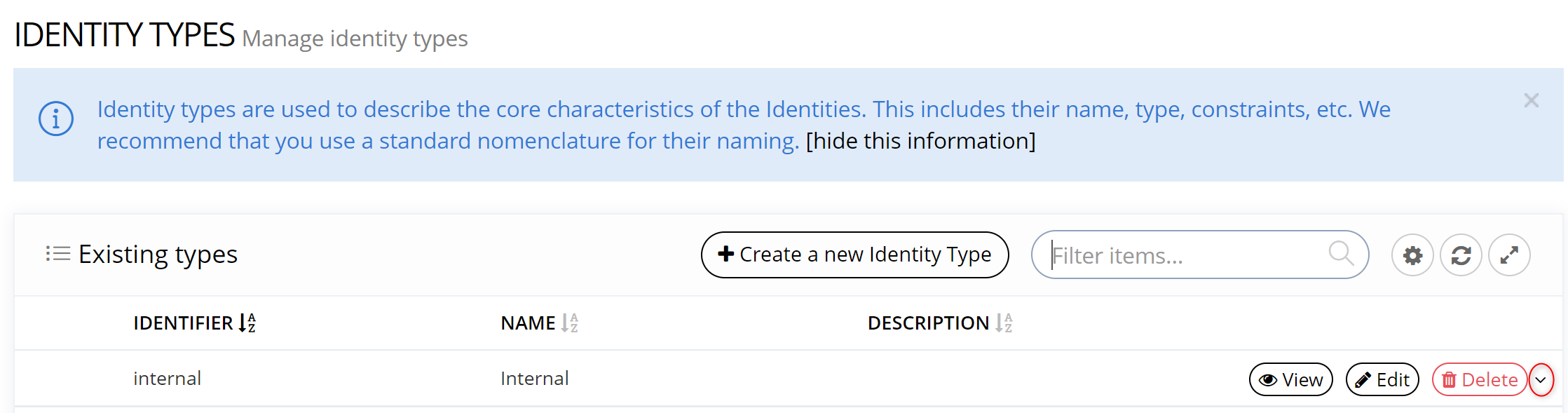
Access to options (by clicking on the arrow next to the "delete" button) in order to:
Translations and Attribute Definition Editor can also be configured directly on the Attribute or Object Type form. |
|
Read Next
- Object Types
An Object Type allows to define the types of Object that will be managed in the Memority Portal application and used in Features, rules etc...
- Features
Design screens and business features to manage objects.
- Attribute Editor
Editor attributes are used to define the style to be used in read and write mode for an attribute.