
Definition
The Binary Edit Widget allows to configure the display/edit of a binary attribute.
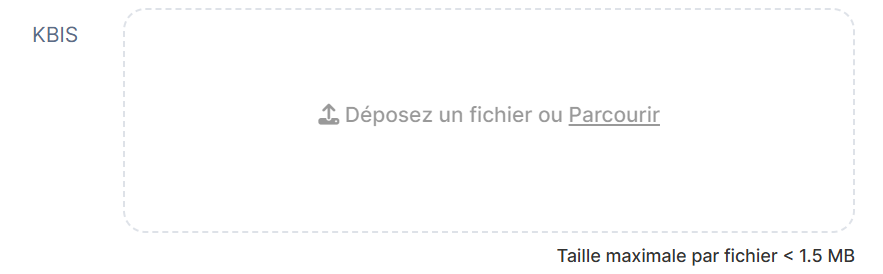
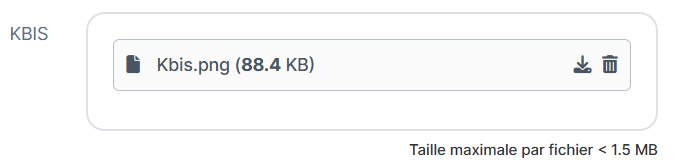
Configuration
Properties
|
Properties name |
Type |
Mandatory |
Description |
Values (default value in bold) |
|---|---|---|---|---|
|
- |
NO |
Allows to list the allowed image formats. |
- |
|
|
maxFileSizeKb |
|
NO |
Defines the maximum size (in KB) of the imported image. |
5000 |
|
fileIcon |
|
NO |
|
true, false |
|
uploadIcon |
|
NO |
Allows to display or not the "upload" logo in the field. |
true, false |
|
filenameI18nKey |
|
NO |
An i18n key that can reference the current object attributes in order to name the binary file when downloading it through the widget. Ex: (the file extension will be set automatically based on the uploaded file and should not be set as part of the key). Note that a limit of 255 characters will apply to the filename. If left empty, the filename will be the attribute id. |
- |
acceptedFileTypes properties
|
Properties name |
Type |
Mandatory |
Description |
Values (default value in bold) |
Image |
Image Edit |
Image Display |
|---|---|---|---|---|---|---|---|
|
fileType |
|
NO |
Defines the list image formats. If the user update an unauthorized file, he will be warned by a pop-up. |
*, PNG, JPEG... If value = *, all formats will be accepted. |
|
|
|
Example
<widget id="photo" xsi:type="ctdbum:AttributeEditorWidgetType">
	<hidden>false</hidden>
    <config>
    	<editor>
        	<editWidget xsi:type="ctdbum:BinaryEditWidget">
            	<hidden>false</hidden>
                <config>
                    <required>false</required>
                    <acceptedFileTypes>
                    	<fileType>*</fileType>
                    </acceptedFileTypes>
                    <maxFileSizeKb>5000</maxFileSizeKb>
                    <fileIcon>false</fileIcon>
                    <uploadIcon>true</uploadIcon>
                    <filenameI18nKey>tenant.ui.upload.myfilename.title</filenameI18nKey>
				</config>
			</editWidget>
		</editor>
        <label></label>
        <lockedInUi>false</lockedInUi>
        <mode>READ_WRITE</mode>
        <multiValued>false</multiValued>
        <override>true</override>
	</config>
    <attributeId>photo</attributeId>
</widget>
Read Next
- Features
Design screens and business features to manage objects.