
Definition
This part describes all existing attributes widgets to display or edit attributes on the features.
When configuring an attribute widget there is always two possibilities :
-
configure the Attribute Editor to display or edit attributes using the basic configuration defined in the Attribute Editor Definition.
-
configure the display or edition of attributes using a dedicated Widget dedicated for a feature
By default, we recommend using attribute editor to minimize feature's configuration and overloading widget's attribute configurations only for features where it is necessary.
|
Attribute Editor Widget without overload |
Attribute Editor Widget with overload |
|---|---|
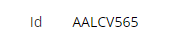
|
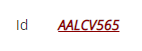
|
Available Widgets
|
Widget |
For what type of Attributes ? |
Edit |
Display |
|---|---|---|---|
|
|
|
|
|
|
|
|
|
|
|
|
|
|
|
|
|
|
|
|
|
|
|
|
|
|
|
|
|
|
|
|
|
|
|
|
|
|
|
|
|
|
|
|
|
|
|
|
|
|
|
|
|
|
|
|
|
|
|
|
|
|
|
|
|
|
|
|
|
|
|
|
|
|
|
|
|
|
|
Configuration
Global Properties
There is global properties common to all attributes wiget, these are described below :
|
Property name |
Type |
Mandatory |
Description |
Values (default value in bold) |
|
label |
|
NO
|
Used to define the label displayed with the attribute. By default, we recommend to let this property empty to use the default i18n key of the attribute. If a specific label needs to be displayed in a specific context we recommend to indicate here the identifier of an i18n key, to be able to display the text according to language. Otherwise if the label is hardcoded it won’t be translated. |
Example :
|
|
lockedInUi |
|
NO |
Used to define if the attribute is not modifiable but visible by a user in the feature. |
true, false |
|
mode |
|
NO |
Used to define the mode of the attribute and therefore if the user can modify the value of the attribute or not. |
READ
|
|
multiValued |
|
NO |
Used to define if the attribute is a multivalued one or not and therefore if the user can add several values or not. The value of this property must be consistent with the configuration of the attribute (multi-valued property in the object type). |
true, false |
|
override |
|
NO |
Used to indicate if the configuration at feature level overrides or not the configuration of the attribute editor linked to the attribute definition.
|
false: the attribute will have the configuration configured in Attribute Editor Definition. true: the configuration configured in Attribute Editor Definition will be overridden by the configuration defined in the feature. |
|
attributeId |
|
YES |
Used to indicate the id of the Attribute. |
- |
Exemple
|
Attribute Editor Widget without overload |
Attribute Editor Widget with overload |
|---|---|
|
XML
|
XML
|
Attribute Editor Widget
The Attribute Editor Widget allows to display the basic configuration defined in the Attribute Editor Definition.
This Widget defines how the attributes will be presented depending on the mode:
-
READ to display the attribute
-
READ_WRITE to edit the attribute.
Attribute definition is linked to its Attribute editor, thanks this, the system selects the right display or edit mode.
Read Next
- Attribute Editor
Editor attributes are used to define the style to be used in read and write mode for an attribute.