
Definition
The Standalone Password Edit Widget allows the user to update his/her password from the user portal.
The widget can also be used for password initialization (in which case the old password is not required).
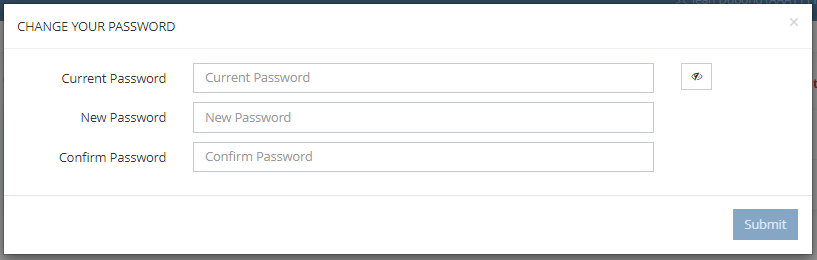
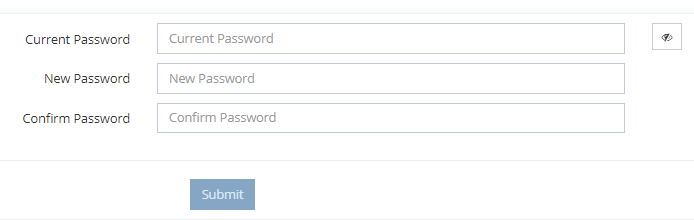
This Widget displays a set of form entries used for completion:
-
the old password (optional)
-
the new password
-
a confirmation of the new password (optional)
Standalone Password Edit Modal
Button
Modal
Standalone Password Edit In-line
Tips
To access the Password Edit Widget, you must configure the Widget on a feature with an object kind = IDENTITY and the operation with a type = CHANGE_PASSWORD.
This Widget is used on all features types.
Configuration
Properties
|
Properties name |
Type |
Mandatory |
Description |
Values |
|---|---|---|---|---|
|
displayClearTextBox |
|
NO |
Define to display or not the password in visible text. |
true, false |
|
displayStrengthIndicator |
|
NO |
Define to display or not the strength indicator below the password field. |
true, false |
|
requiresConfirmationPassword |
|
NO |
Define if the confirmation of the new password is required or not. |
true, false |
|
requiresOldPassword |
|
NO |
Define if the old password is required or not. |
true, false |
|
style |
|
NO |
Define the style of the widget. |
MODAL, INLINE |
Example
<widget id="password" xsi:type="ctdbum:StandalonePasswordEditWidgetType">
	<hidden>false</hidden>
	<attributeId>password</attributeId>
	<config>
		<requiresOldPassword>true</requiresOldPassword>
		<requiresConfirmationPassword>true</requiresConfirmationPassword>
		<displayStrengthIndicator>true</displayStrengthIndicator>
		<displayClearTextBox>true</displayClearTextBox>
		<style>MODAL</style>
	</config>
</widget>
Read Next
-
Password Edit Widget Allows the user to update his/her password.
-
Reset Password Widget Allows to reset the password of Identities.
-
Standalone Password Edit Widget