
Definition
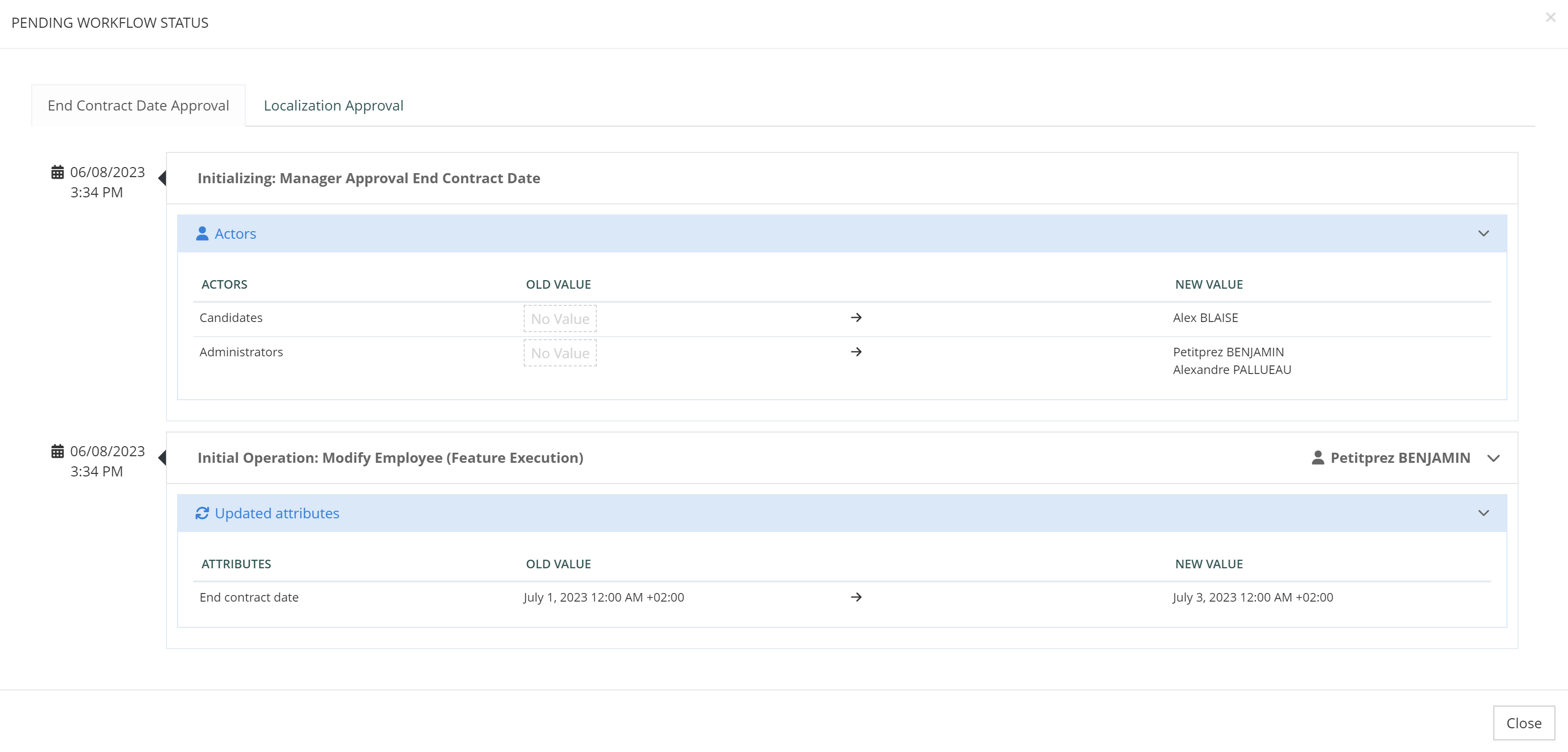
The Workflow history widget is used to view the pending workflows history on an object.
It is a standalone widget that can be used on features that act on an object (“self” features, read, update).
Configuration
This widget has no configuration.
Example
<widget id="display-workflow-history" xsi:type="ctdbum:FeatureWorkflowHistoryWidgetType">
     <hidden>false</hidden>
     <config>
        <bordered>false</bordered>
        <title>true</title>
    </config>
</widget>
i18n
The widget retrieves all workflows currently pending on an object and displays a tab for each of them. The tab name is defined by a convention of i18n keys that will be applied in the following order:
-
If the translation exists, use
tenant.ui.component.feature-workflow-history.<featureId>.operation.<rank>.namewhere:-
featureId is the id of the feature that launched this workflow
-
rank is the rank (starting at index 0) of the operation in the feature configuration that launched this workflow
-
Example “tenant.ui.component.feature-workflow-history.my-update-feature.operation.0.name”
-
-
If not, fallback to
tenant.ui.component.feature-workflow-history.<featureId>.namewhere:-
featureId is the id of the feature that launched this workflow
-
-
If not, fallback to
tenant.ui.component.feature-workflow-history.defaultTabName.name
Read Next
-
Search Widgets Allows to perform search on objects and to create a result table.
-
List Widget Allows to display a list of results (external or internal data).
-
Roles Widgets Allows to manage all functionalities about roles (assignment, request, dashboard, dimensions...).
-
Password Widgets Allows to manage password for Identities (generate a password according to several criteria, reset password).
-
Button Widgets Allows to display button in order to redirect the user to another feature.
-
MFA Widgets Allows to enroll and manage MFA devices.
-
Webauthn Widgets Allows to enroll and manage Webauthn devices.
-
Separator Widget Allows to separate several widgets on a feature.
-
OATH Registration widget Allows to provision the shared secret key between an OTP generator (such as Google Authenticator) and the verification server (AM server).
-
OTP Widgets Allows to enroll and manage OTP addresses
-
Workflow History Widget -
Reporting Widgets -
User Devices Widget Used to allow users or admin to list, rename or delete devices.
-
App Dashboard Widget -
Audit Report Widget Allows to display audit events on object types.
-
Schedule Report Widget Allows to display pending operations on object types.
-
Proxy Widget Allows to reference a widget from another Feature and make it act as if it was communicating with this original Feature.
-
Self-Driven Dashboard Widget Allows to display dashboard items configured from other widgets
-
Technical Dashboard Widget