
Dimensions
Memority introduced the notion of dimension within its role model allowing to:
-
Rationalize the role model
-
Simplify assignment requests
-
Only present a functional view to the requester by hiding all the technicalities related to the provisioning action in the underlying application target.
Dimensions are optional additional information related to any kind of role. They are usually configured to give more context on the access right to grant to user, for example:
-
Grant access to the Group Procurement application with the Buyer profile (Dimension Function) for US Southwest (Dimension Region) and with a cap of 100.000$ (Dimension Amount)
A role object can be made up of multiple dimensions and multiple types which can be linked to each other (the value selected in Dimension Function will condition the values that can be selected for Dimension Region).
Dimension can be graphically represented with:
-
Drop-down list
-
Checkbox - Boolean value
-
Object selector: Organization, Establishment, Territory, ...
A dimension can be auto calculated from identity attribute or directly entered during the assignment request by the different actors of the assignment workflow.
The entry of dimensions within an assignment request can be carried out at several times and by several actors during the request process.
For example, for a Group Procurement Access role with 3 dimensions and 2 validation steps:
-
In Self service, Max Biaggi, request Group Procurement access role. He fill Dimension “Region” (Hi, I’m Max and I’m a Buyer who needs to access to the Group Procurement application for America and North Europe region)
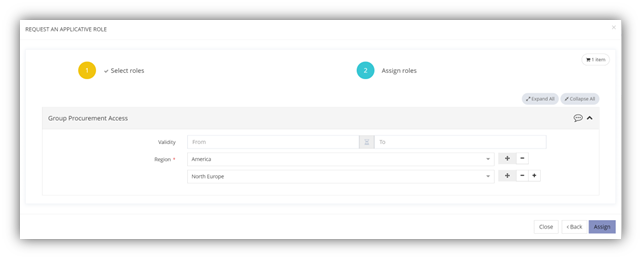
-
The manager have an approval workflow task to complete and approve the request. He fill Dimension Function with Buyer (I confirm that Paul is a Buyer)
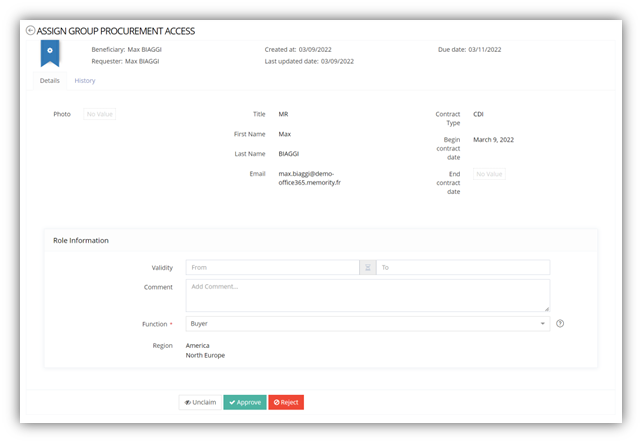
-
The application manager fill Dimension Amount (I accept the request but since you’re not the CFO your validation power within the application is limited to 100.000$)
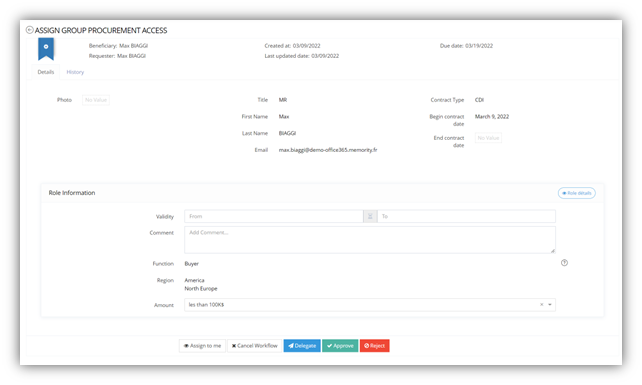
The role - dimension pair will thus make it possible to constitute the technical provisioning action to be carried out in the application target.
Time Constraints
To propose the addition or removal of a role in a programmed way, Memority allows, at the time of assignment (or modification), the entry of a start date and an end date. Thus, one could give a role in advance, with a start date in the future and/or restrict the duration of the assignment by indicating a precise end date.
Thus, in the following example:
-
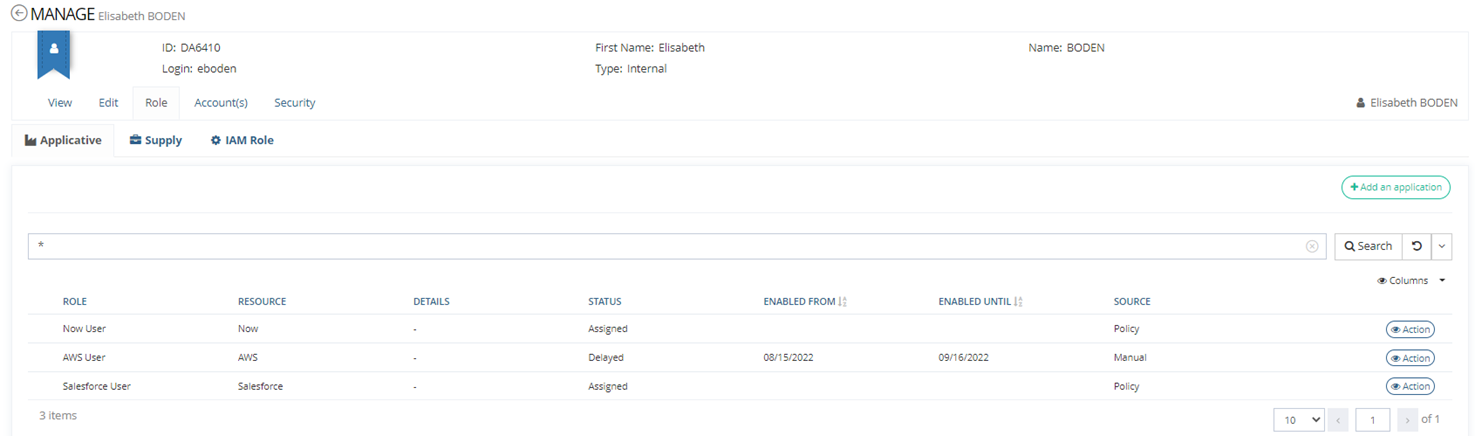
On August 9th, John Snow, manager of Elisabeth Boden, wants to assign to Elisabeth the role AWS User for a limited period, from the August 15th to September 16th. To do so he enters this date during the assignment of the role using the validity section.
Validity range rules can be implemented for each role types, to force the user to type them or to restrict the validity dates. These rules will be detailed in a dedicated chapter.
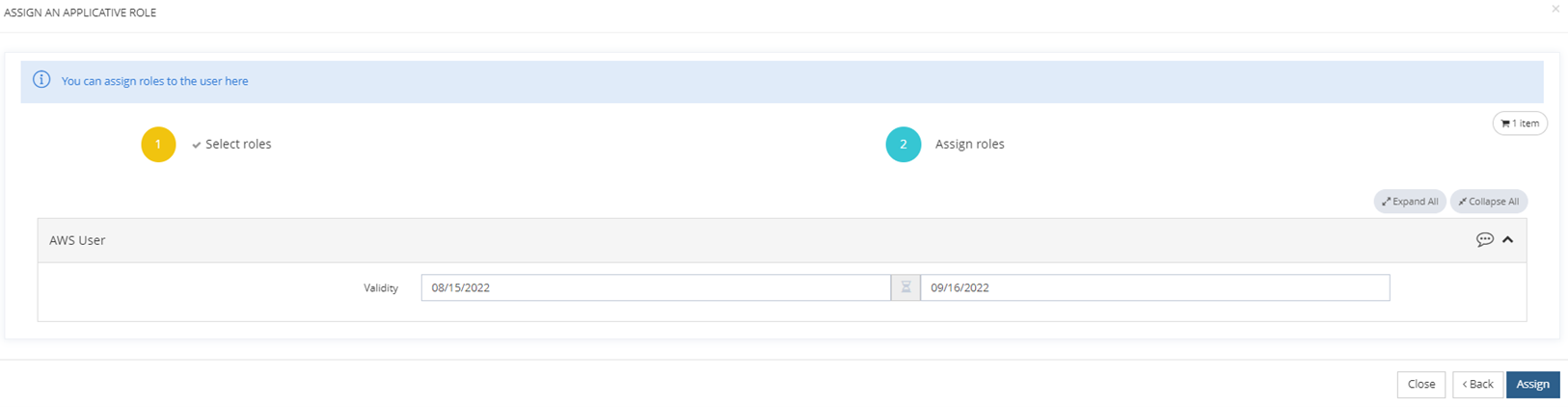
-
After assignment and before the August 15th, the AWS User role will be visible in Elisabeth role Dashboard in a Delayed status to indicate that the role has been assigned but is not active yet. Meaning that Elizabeth will not yet be able to benefit from access to the AWS application.
-
On August 15th, the assignment of the AWS User role will automatically become active for Elizabeth, so she will be able to access the AWS application as defined in the role configuration.
-
On September 16th, the assignment of the AWS User role will automatically be deleted for Elisabeth, she won’t be able to access the AWS application anymore.