
Definition
A Bulk Feature is used to:
-
perform a selection on several objects
-
apply several operations on these objects at the same time
This type of Feature works like an update Feature but differs in the following points:
-
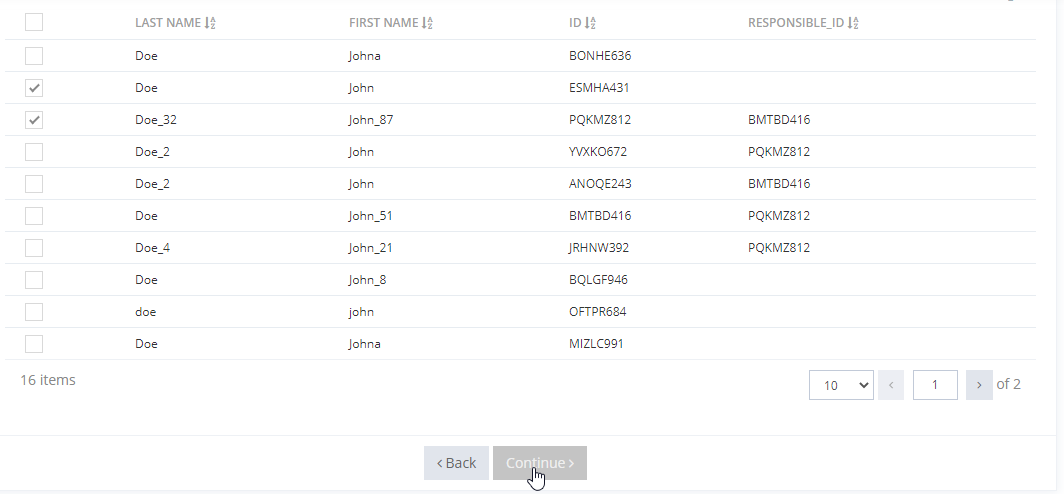
checkboxes are displayed to choose which objects will be impacted by the update.
-
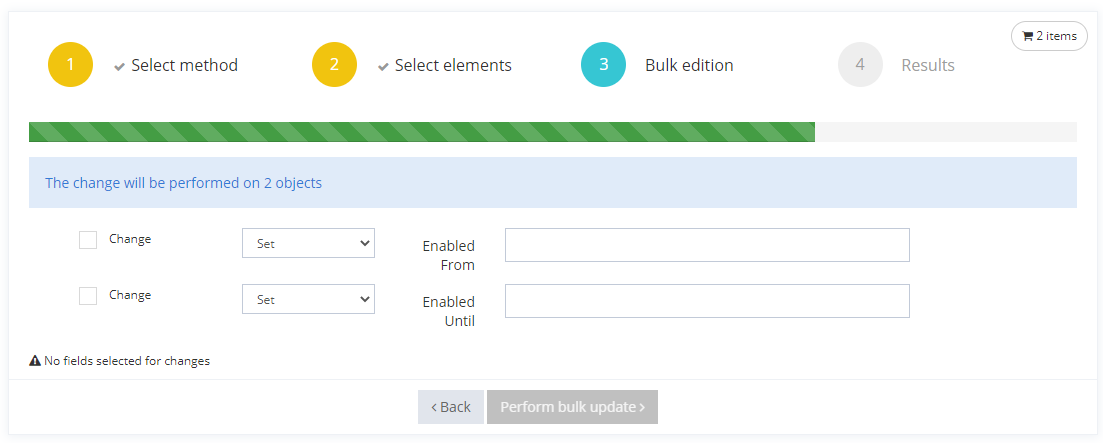
checkboxes are displayed to choose which operations will be applied on each chosen objects.
-
display conditions are not computed.
-
global validation is not performed.
-
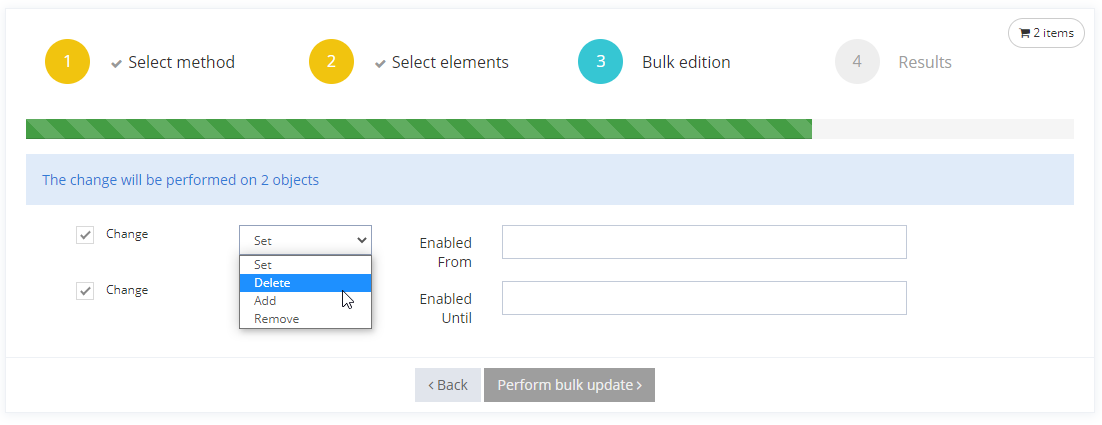
the operation on attributes depends on their type (for example, a multivalued attribute cannot be deleted)
Usage
By searching elements
|
Steps |
Preview |
|
|---|---|---|
|
1 |
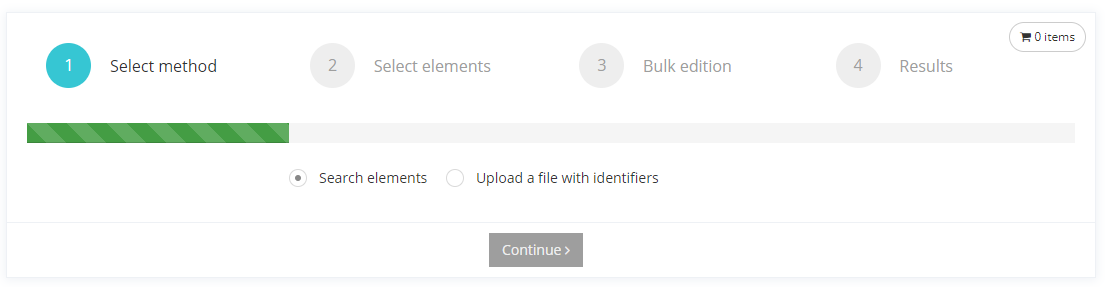
Select method Choose the "search elements" method in order to select Objects to mass edit. |
|
|
2 |
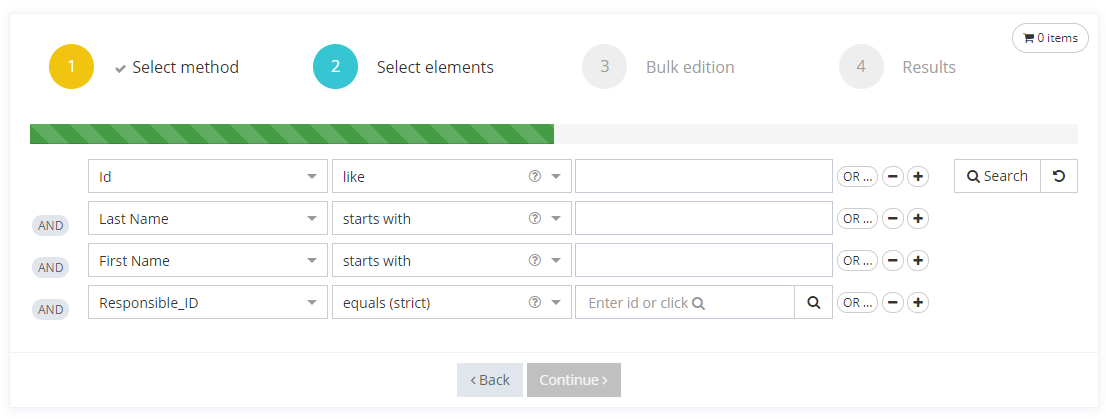
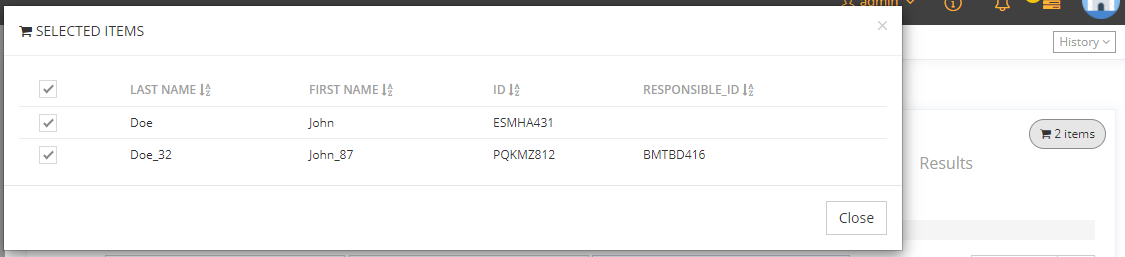
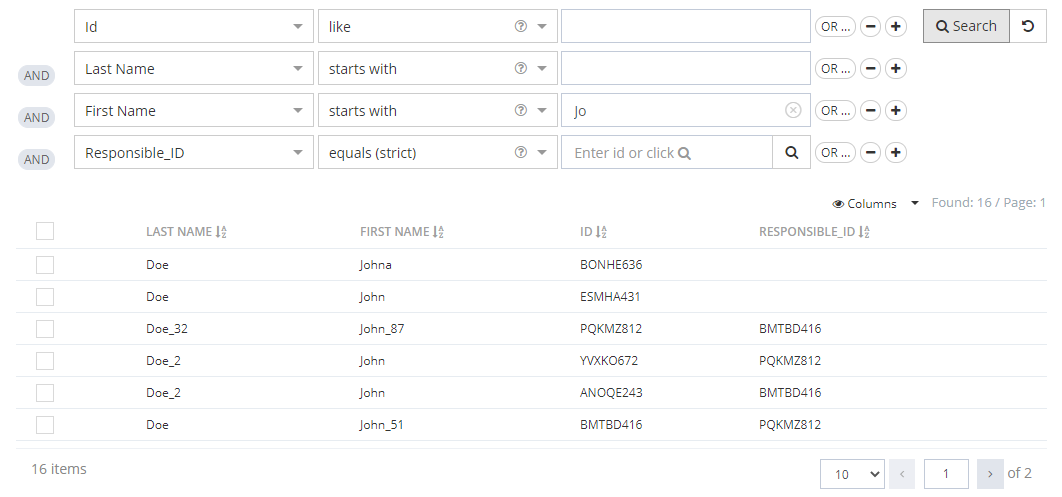
Select elements This step corresponds to the configuration of SearchWidgetType (<search> tag).
|
|
|
3 |
Bulk edition This step corresponds to the configuration of <bulk> tag.
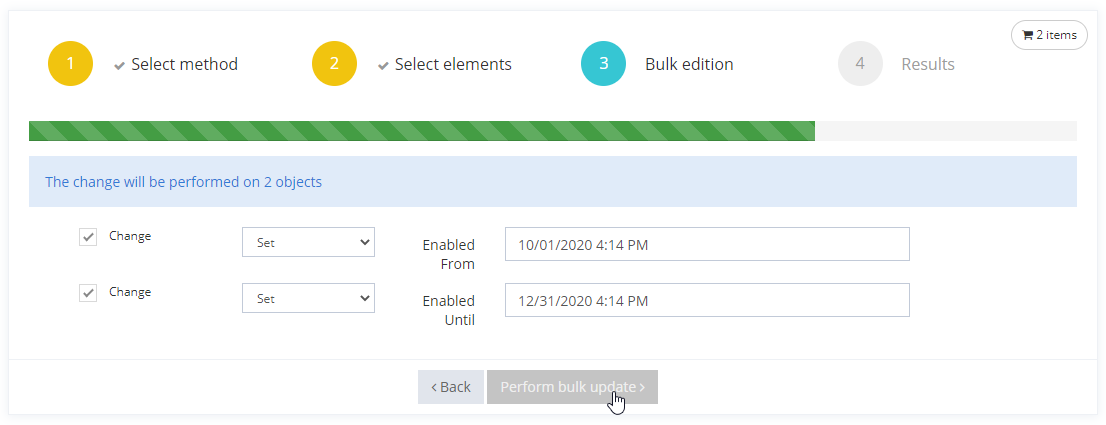
For each Attributes which will be modified, follow the several steps :
To confirm every changes, click on the "Perform bulk update" button. |
|
|
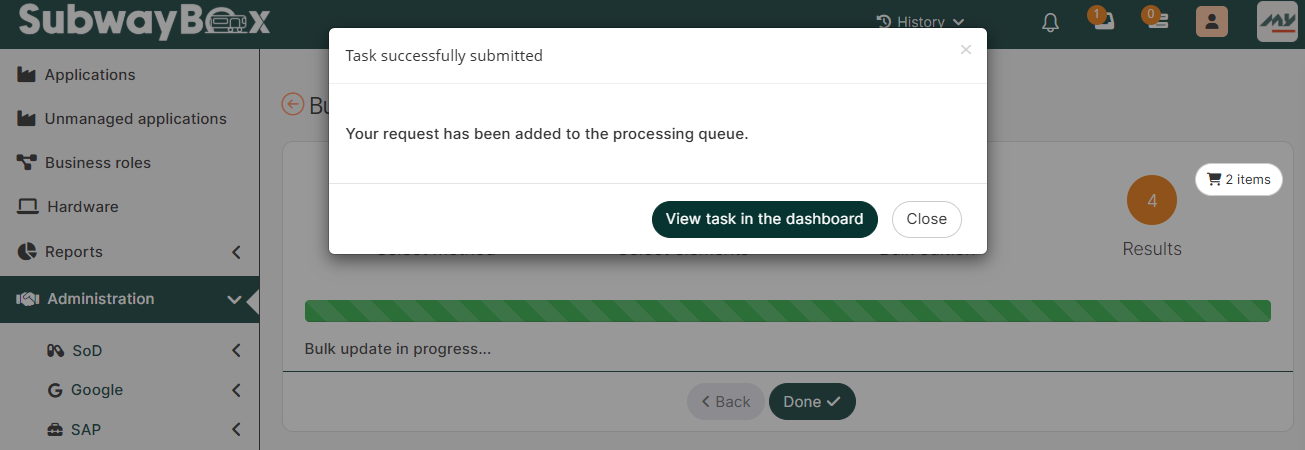
4 |
Results This step displays the summary of bulk change(s).
Click on the "Done" button to valid the change(s). See : https://doc.memority.eu/configuration-guide/latest/tasks-dashboard |
|
At each step, you can go back by clicking on the "back" button.
By uploading a CSV file
|
Steps |
Preview |
|
|---|---|---|
|
1 |
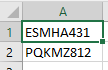
Create a CSV file with the object ids in its "A' column. |
|
|
2 |
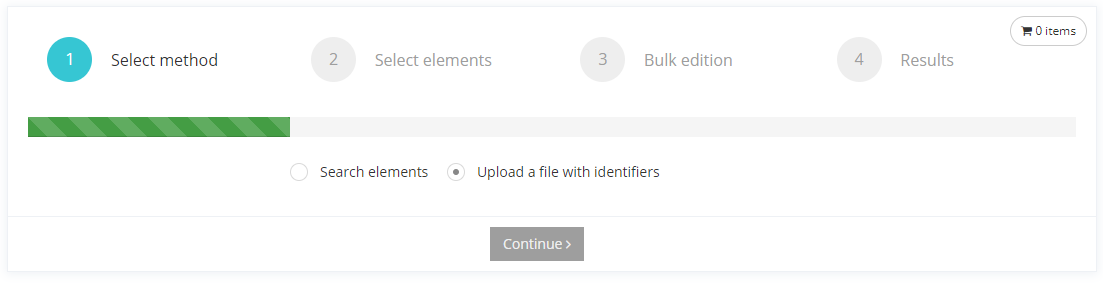
Select method Choose the "Upload a file with identifiers" method in order to upload a CSV file. |
|
|
3 |
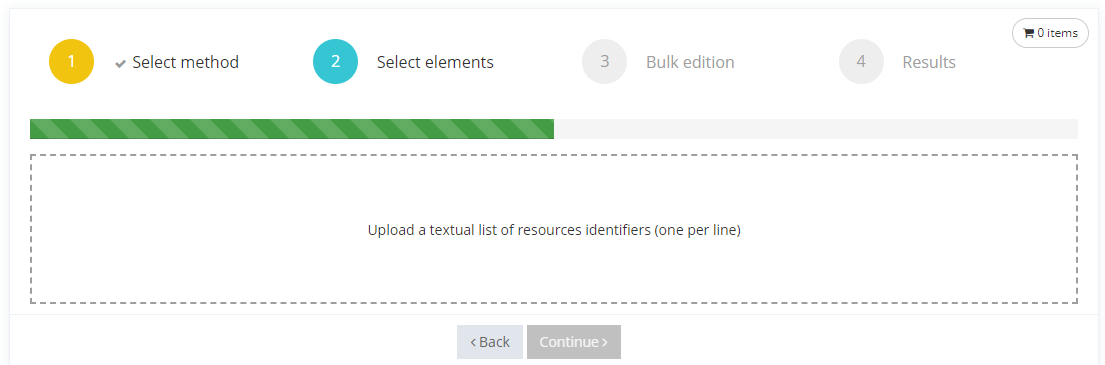
Select elements Add the CSV file and click on the "Continue" button. |
|
|
4 |
Bulk edition Same as above in "By searching elements - step 3". |
|
|
5 |
Results Same as above in "By searching elements - step 4". |
|
Configuration
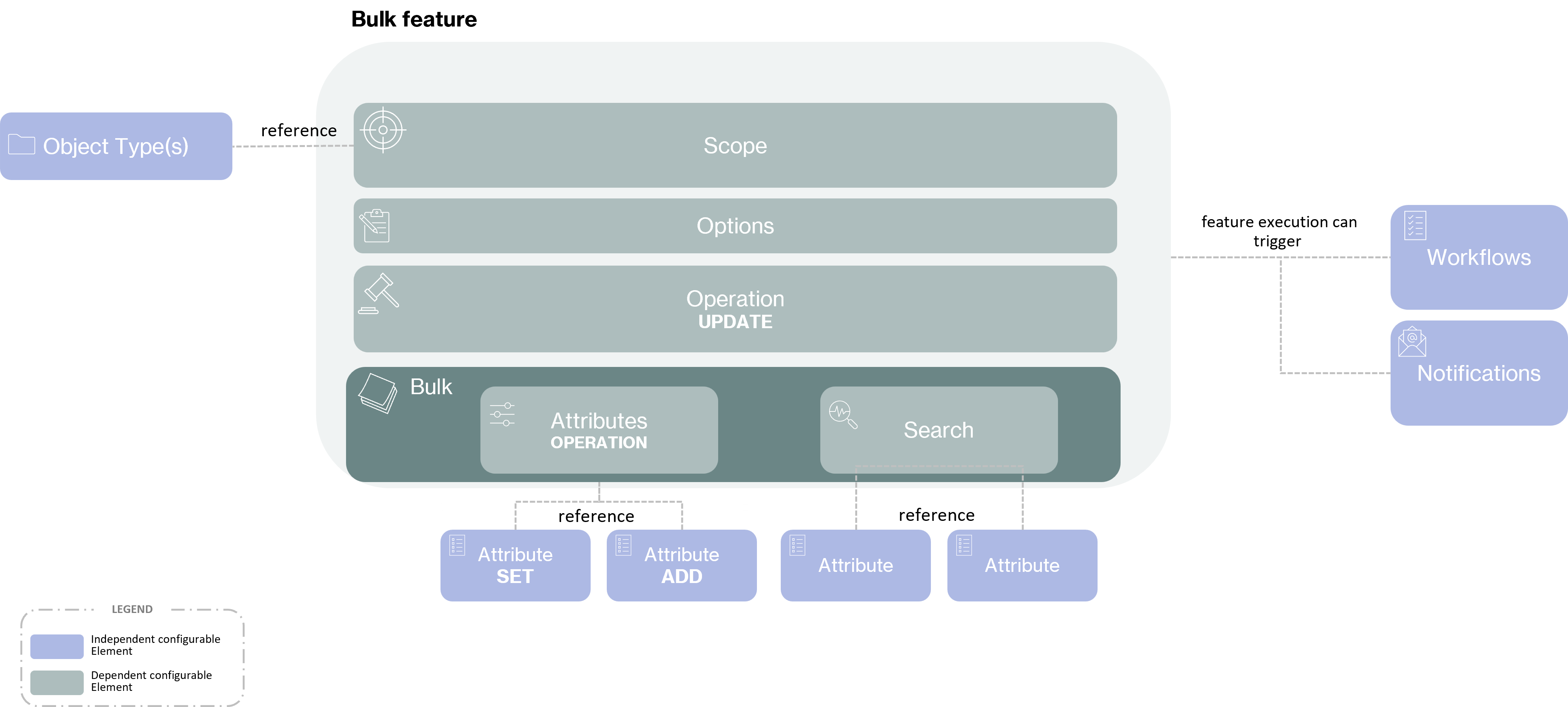
In a bulk Feature, the Scope is optional.
Prerequisite
Before configuring a bulk Feature you must:
-
configure an Object Type
-
configure all Attributes which will be configured in the Feature.
Properties
Mandatory configuration elements
Global configuration elements are detailed on the Feature page.
Configuring the bulk part is also mandatory in a bulk Feature, if not, the Feature will not be usable.
|
Property name |
Type |
Mandatory |
Description |
Values |
|---|---|---|---|---|
|
bulk |
- |
YES |
Allows to configure the bulk Feature |
- |
|
workflowId |
|
NO |
Used to indicate the id of a workflow that will be launched when the feature is validated. |
- |
bulk properties
|
Property name |
Type |
Mandatory |
Description |
Values |
|---|---|---|---|---|
|
attributes |
|
YES |
List of attributes on which the user can perform operations. |
- |
|
search |
- |
YES |
Configure a Search Widget Type. |
- |
attributes properties
|
Property name |
Type |
Mandatory |
Description |
Values |
|---|---|---|---|---|
|
attribute |
- |
YES |
Used to indicate the id of the attribute. |
- |
attribute properties
|
Property name |
Type |
Mandatory |
Description |
Values |
|---|---|---|---|---|
|
operations |
|
YES |
List of operations which will be available on the attribute. |
- |
|
editor |
- |
YES |
Allows to define how the attribute will be displayed on the Feature (works like an Attribute Editor Widget). |
- |
operations properties
|
Property name |
Type |
Mandatory |
Description |
Values |
|---|---|---|---|---|
|
operation |
|
YES |
Used to indicate the operation. |
SET, ADD, REMOVE, DELETE |
editor properties
|
Property name |
Type |
Mandatory |
Description |
Values |
|---|---|---|---|---|
|
attributeId |
|
YES |
Used to indicate the id of the Attribute. |
- |
Recommended configuration elements
The following requirement are recommended to build the configuration XML:
-
Options:
-
Authentication: define the authentication level to access Features.
-
OperationOnSelf: define if the Feature is used for a "self" usage.
-
HomeTile: use to access a Feature from the home page.
Example
|
Simple configuration |
Complex configuration |
|---|---|
|
|
|
Read Next
-
Deduplication A deduplication Feature allows to check for duplicates before creating a new object.
-
Create A Feature of type Create is used to create objects by listing attributes.
-
Hub A hub Feature is used to list several Features on tabs on the same screen.
-
Read A Feature of type Read is used to read the content of created objects by listing attributes.
-
Search A Search feature is used to allow search for objects and displays the results in a table.
-
Update An Update feature is used to allow modifications on objects by listing attributes.
-
Bulk -
Raw Update A Raw Update feature is used to perform modifications on all attributes on objects (built-in and related to object).
-
UI -
UI for Object A Ui for Object (UI_FOR_OBJECT in XML) is used to configure a dedicated element on an object, like a Role Assignment Widget or a Role Dashboard Widget.
-
Application Portal An application portal feature allows users to have a quick and simple access to all his applications.