
Definition
The Logs allows to search for log events on criteria such as service, level...

Usage
You can access the Logs page :
-
by clicking on "System" → Logs
Log levels are organized in the following ascending order: OFF ERROR WARN INFO DEBUG TRACE ALL. Log statements made in Rules at or below the selected level will be reported and available in this page.
The OFF level will disable Rule's log reporting.
The log level is configurable for each Service (IDM, BUM and SYNC) using dedicated settings :
-
For IDM :
idm.app-logs.level.rule.level -
For BUM :
bum.app-logs.level.rule.level -
For SYNC :
sync.app-logs.level.rule.level
Logs are automatically set back to false within 1 hour of being activated.
Search in Logs
The Logs page provides a list of Log Events organized in reverse chronological order (more recent events are displayed first).
By default, when opening the Logs page, the search is defined by a date.
|
Actions |
Description |
Preview |
|---|---|---|
|
Add filter
|
You can add one or several filters to search more precisely for a Log Event by clicking on "Add Filter..." button. |
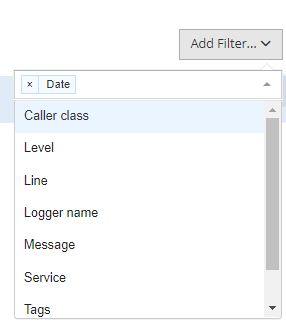
|
|
Filters will be added at the top of the page. You can delete one or several filters by clicking on the displayed trash icon on each line. |

|
|
|
Search for Logs Events |
The results are displayed according to the filters. |
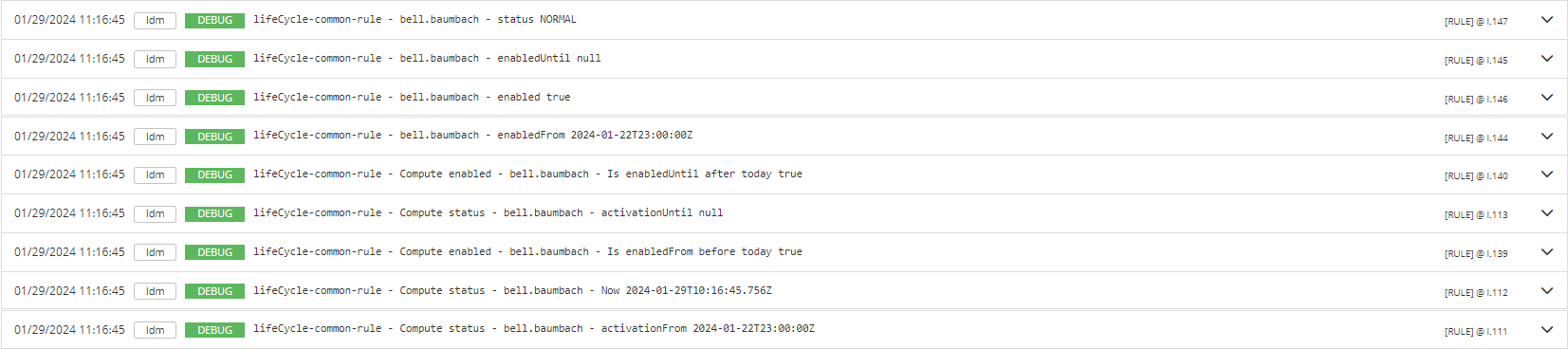
|
|
View a Log Event |
You can view details of log events by clicking on the arrow displayed on the line. By clicking on the "Details", you can view more information about the event. |

|
Filters
|
Name |
Type |
Description |
|---|---|---|
|
Caller class |
|
|
|
Date |
|
Allows to search by date (year, month, week, day, hour, minute, second) or by period. |
|
Level |
|
|
|
Line |
|
|
|
Logger name |
|
|
|
Message |
|
|
|
Service |
|
|
|
Tags |
|
|
|
Tid |
|
|
Read Next
-
Configurations This part allows to import or export Configurations of services.
-
Audit The Audit allows to search for audit events on criteria such as title, details, actors... and establish correlation between events.
-
Settings The Settings are a key or value storage of properties that are configured per tenant and on different services (Identity, Business, Synchronization and Audit).
-
Jobs A Job allows to schedule actions on different services (Identity, Business, Synchronization) and manage their lifecycl
-
Logs -
Internet network whitelist Allows to configure network address whitelist.