
Definition
Typically, you should use Workflow Template if you have identical Workflows to create, but that will be triggered on different features for example.
Configuration
You can access the Workflow Template configuration :
-
by clicking on "Portal" → “Workflow Templates”
-
by clicking on "System" → "Configurations" → "Business Model" and perform an import/export.
Workflow Template is configured like a Workflow (parameters and process parts).
It serves as a basis to be used in the creation of Workflows.
A "Preview instance configuration" button is displayed to check the pre-filled task configurations (according to the process part).
Usage
|
Steps |
Preview |
|
|---|---|---|
|
1 |
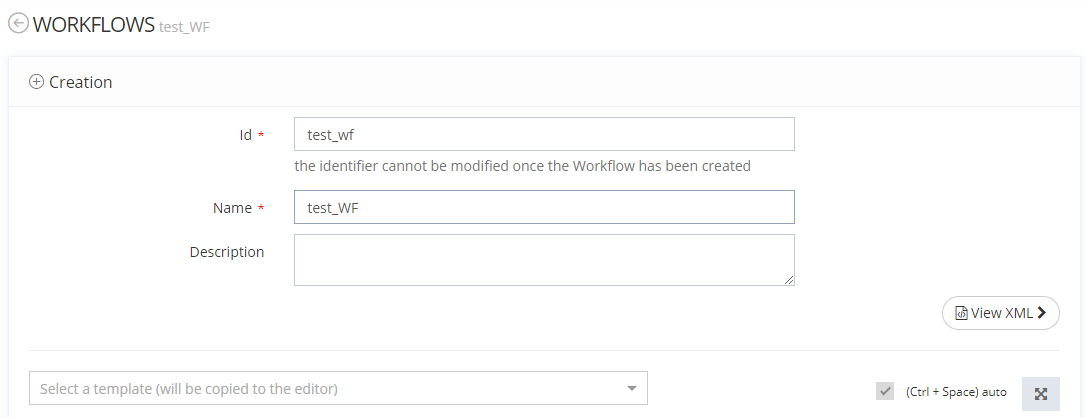
Access the admin portal, click on "Portal" then "Workflows".
|
|
|
2 |
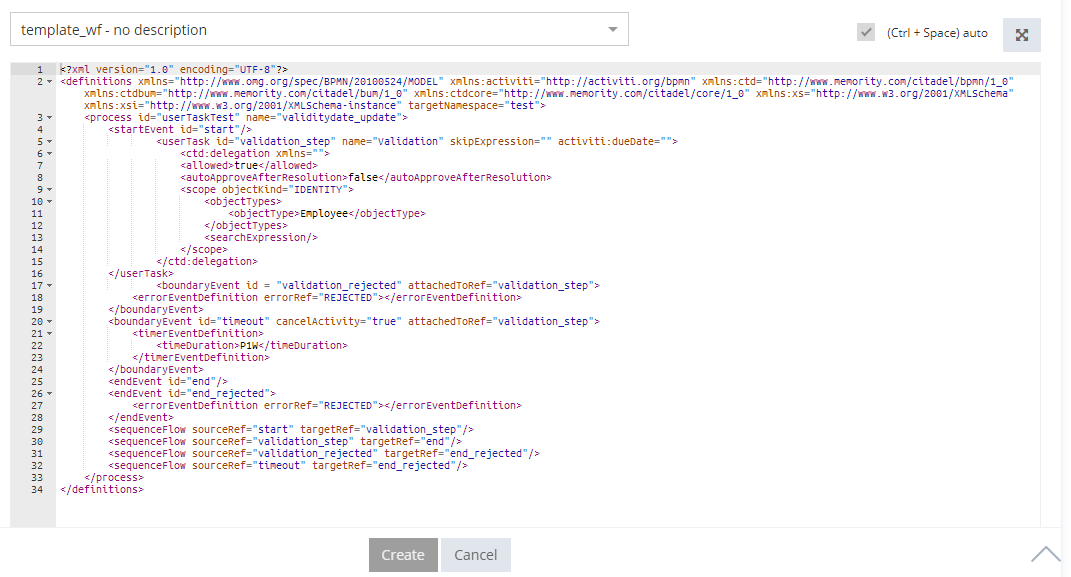
Select a Template by using the dropdown list. |

|
|
3 |
The Workflow is uploaded.
|
|
Read Next
-
Workflow Workflows are used to implement a validation process requiring one or several step(s) of validation to validate an activity. Each step is represented by a task, which can require a human intervention (UserTask) or be fully autonomous (ScriptTask).
-
Workflow Templates -
Workflow Dashboard