
Definition
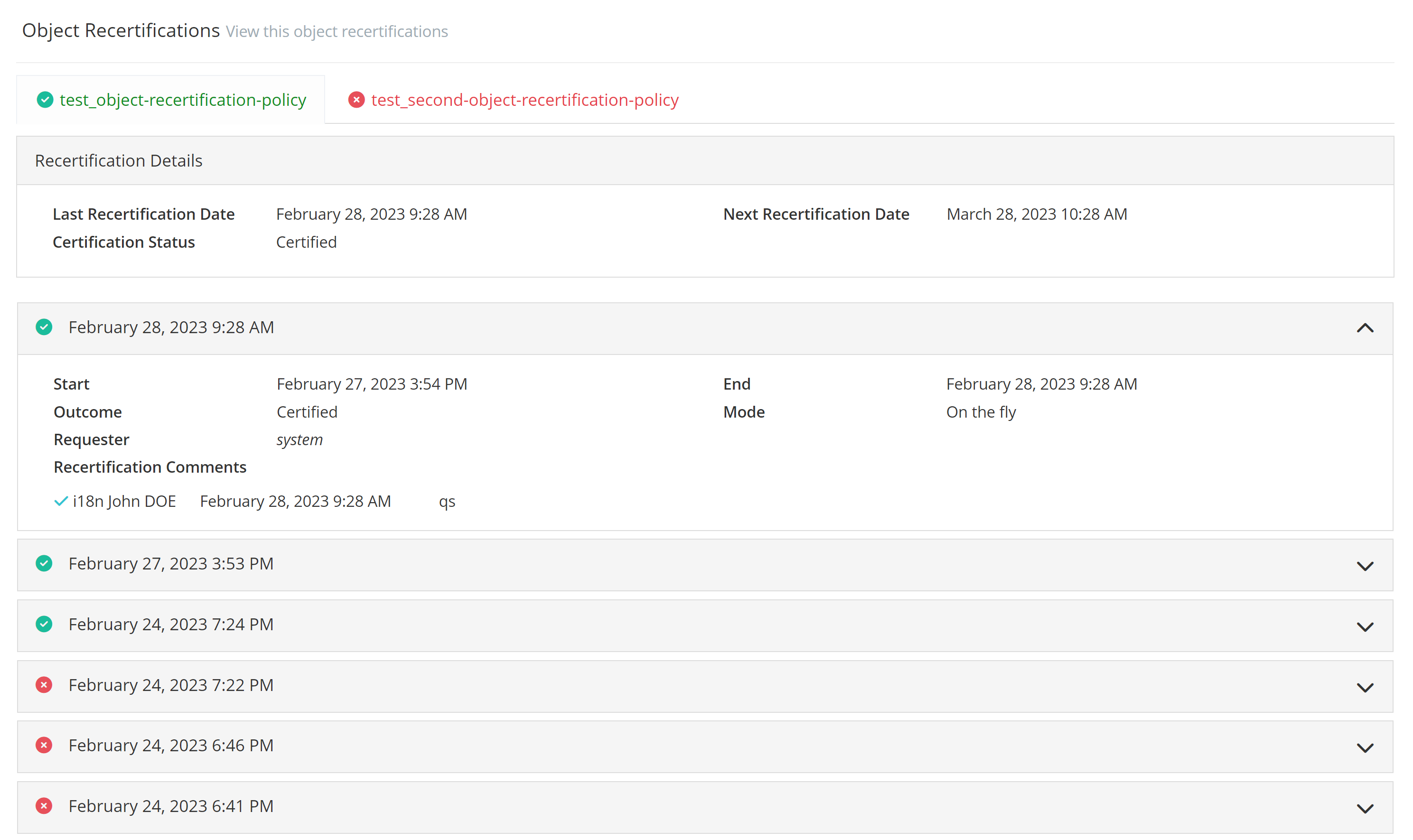
The Recertification Widget allows to display Object recertifications.
The widget will display one tab per matching policies for the object. If the last recertification has a “CERTIFIED” status it will appear in green with a check mark, otherwise if the status is “REFUSED” it will appear in red with a cross.
Configuration
The widget must be included in a feature that targets an object (READ, UPDATE, UI_FOR_OBJECT) or in a User Task.
Properties
|
Property name |
Type |
Mandatory |
Description |
Values (default in bold) |
|---|---|---|---|---|
|
hidden |
|
NO |
Used to indicate if the widget will be hidden or display in the screen. |
true, false |
|
displayOptions |
- |
|
Defines the display options of the widget. |
- |
|
config |
- |
|
Defines the configuration parameters of the widget. |
- |
displayOptions properties
|
Property name |
Type |
Mandatory |
Description |
Values (default in bold) |
|---|---|---|---|---|
|
modalSize |
|
NO |
Used to define the size of the modal. |
XS, SM, LG |
config properties
|
Property name |
Type |
Mandatory |
Description |
Values (default in bold) |
|---|---|---|---|---|
|
bordered |
|
NO |
Defines if the action buttons are bordered or not. |
true, false |
|
title |
|
NO |
Defines the title of the widget. The title will have to be translated by a I18N key: "tenant.password.reset.title.label". |
true, false |
Example
<widget id="object-recertification-display-widget" xsi:type="ctdbum:ObjectRecertificationDisplayWidgetType">
    <hidden>false</hidden>
    <displayOptions>
      <modalSize>LG</modalSize>
    </displayOptions>
    <config>
      <bordered>false</bordered>
      <title>true</title>
   </config>
</widget>